
Awake
Deliverables
Role
Duration
Awake App
An interactive alarm app that motivates the user to wakeup by reward points
Client
Personal Project
UX Research, UI Design, Prototyping, Motion & UsabilityTesting
UX /UI Designer
2 months
Time is important to us. That’s why we have been measuring it since ages. Alarm clocks remind us about the time for a particular purpose.
We generally use them on our mobile devices to wake up in the morning. How useful the alarm clock is, depends on our willingness to get up and start a productive day.
But are we all so motivated in life? Can our alarm clocks also motivate us to wake up everyday day?

What is the Problem? (Pain Point)
In our hectic life, we often feel exhausted and lose motivation to our dreams and goals. It also adversely affects our sleeping schedules and in turn, we either feel very sleepy or it makes us so much sleepy that it creates a problem to wake up early morning.
Why do we need to Solve this?
To make users feel motivated and give the willingness to get up and start their productive day.
Design Approach
To solve the problem, I chose the design thinking process which can give a better approach to solution
Step 1
Step 2
Step 3
Step 4
Step 5
Problem
Reserch
Design
+
Ideation
Test
Prototype
Understanding the user
1. Who are the users?
The audience is middle-aged professionals and students who have their work-life balance in shatters and in a turbulent emotional state.
2. What experience do they have?
High-pressure jobs, unstable work routines, loss of concentration and motivation, no goals and plans, the stress in the family due to pandemic situations.
3. What information do they need?
About the importance of sleep, motivation in life, mental & physical health.
4. How do they think it should work?
This platform should be a guide, which should invoke motivation and trust which results in giving good hours of sleep.
5. What are their goals?
The main goal is to sleep calmly, track their sleep effectively and feel energetic through out their day
6. What functions do they need?
Some motivational feature, automated alarm clock, Voice alarm, quotes, daily affirmations
7. In what form do the need it?
Mobile app or Alarm clock
Connecting the Dots
Firstly, I started thinking about how the problem is connected to different parameters

Wants and needs
1. To wake up early
2. To buy tech products
3. To exercise in the morning
4. To read books
5. To travel
6. To communicate with friends
7. Long weekend
Competitive Analysis
Listening to users I did a market analysis on existing products in particular categories

User Interview
-
What problems do you face while going for sleep?
-
Have you tried to solve these problem by any chance?
-
Do you atleast complete 7-8 hours of sleep daily?
-
What motivates you to wake up early morning?
-
What type of platform do you use to track your sleep?
-
Any app used earlier to keep you motivated?
-
What type of problems you faced in that app?
-
How do you feel about work-life balance?
Participants

8 Students

6 Professionals
Key Research Insights
After market research I chose to ask some concrete questions asked in survey and interviews with users and according to overall research done I got few key research insights as follows:
Highlight
-
Target users are professionals and students
-
Due to pandemic and work stress, there is immense lack of motivation and goals in their life.
-
Most important factor they need is motivation and good hours of sleep where they can track and analyze.
-
Users are interested in automated voice over to wake them up
Persona

Vidit A
30 Years Old Male
Tier 1
IT Engineer
Married
Goals
-
To take enough sleep and stay healthy
-
To travel and explore San francisco in 2022
-
To feel energetic and motivated
About
I have a very work pressure, often I work late nights which made me demotivated.
Frustrations
-
The immense pressure of work
-
Same routine and fewer interactions with people.
-
Frustrated in communications

Ruchita Agr
24 Years old, Female
Tier 2
Student
Single
About
I need to manage my college lectures, assignments and also home chores
Goals
-
To get personal time
-
Enough work-life balance
-
Increased productivity in college work
Frustrations
-
Lack of sleep due to no goals
-
Irregularity in sleep routines
-
No time for family
Define
5WH
1. What?
An gamified alarm app
4. When?
On daily basis
2. Who?
For Professionals and Students
3. Why?
To make users feel motivated and start their productive day.
5. How?
Through gamification technique and creating personalised goals
Highlight
By gaining key research insights I got much clear picture to draw my ideas and define it particularly
Octalysis Framework in system
The Octalysis Framework is a human-centric gamification design framework that lays out the eight core drives for human motivations:
Understanding the user

1. Accomplishment & Development
In this drive, the user focuses on developing and finding his skills which eventually overcome the challenge by achievements of badges or trophies. So I used this in the app to go through their stages of sleep where they can track their sleep, after completion of sleep on weekly basis, they will be rewarded with some reward points
2. Ownership & Posession
In this drive, the user focuses on owning the process. They feel they own something, and hence they feel motivated & innately wants to make what they own better and own even more. So I used this drive to make them more motivated towards their specific goals, take ownership and customize their way of looking towards their goal.
Highlight
The reason for using octalysis framework is to emphasize more on human motivation. The benefits are, the user will optimize their feelings, motivations, and engagement
How might we
How might we motivate users to create their goals?
- Gamification
- Sharing achievements on social media platforms
- In-app notifications
- Motivational content
- AI-based recommendations
- Pre-defined questionnaire
How might we help users to track their sleeping schedules?
-Sleep tracker
- Analytics on daily/weekly basis
- Bedtime stories
- Sleeping schedules
- Sleep reports
How might we increase users productivity
-Pre-planning for whole day
- AI-based activities
- Notifications
- Progress
- Rewards
- Ownership on goals
Revenue Model

Task Analysis
Participants
8 Students

6 Professors
Key Research Insights
After market research I chose to ask some concrete questions asked in survey and interviews with users and according to overall research done I got few key research insights as follows:

Challenge
SolidWorks eDrawings Viewer, a widely used application for reviewing and collaborating on design files, required a user experience redesign to improve usability, enhance collaboration features, and provide a more intuitive interface. User feedback indicated a need for a more streamlined and feature-rich viewer.
Research Phase
User Surveys
Conducted surveys to gather user feedback on the existing eDrawings Viewer, focusing on pain points, feature requests, and overall satisfaction.
Competitive Analysis
Analyzed competing software to identify industry best practices, innovative features, and potential areas for improvement in the eDrawings Viewer.
Usability Testing
Performed usability testing on the current eDrawings Viewer to identify specific pain points and areas for improvement regarding navigation, file handling, and collaboration features.
Design Phase
Persona Development
Created user personas based on survey responses and usability testing results. Personas included:
-
Mechanical Engineer
-
Design Manager
-
Project Collaborator
Information Architecture
Revised the information architecture to create a more intuitive and user-friendly flow within the application, taking into account user personas and common usage scenarios.
Wireframing
Developed low-fidelity wireframes to visualize the new interface, focusing on improving navigation, collaboration features, and file management.
Prototyping
Created interactive prototypes to test new collaboration features and validate the redesigned workflow with users, incorporating feedback to refine the design.
UI Design
Visual Design
Developed a modern and visually appealing design language, ensuring a clean and professional look that aligns with the SolidWorks brand.
Iconography
Designed a set of intuitive and standardized icons for consistent visual communication of features and actions.
Style Guide
Established a comprehensive style guide to maintain consistency in visual elements across the application.
Development Phase
Agile Development
Adopted an agile development approach to iteratively implement and test new features, allowing for quick adjustments based on user feedback.
Collaboration Enhancements
Implemented new collaboration features, such as real-time markup, comments, and version history, to improve the collaborative experience among users.
Testing and Iteration
Beta Testing
Released a beta version to a select group of users for real-world testing, collecting feedback on the new features, interface, and overall usability.
Iterative Improvements
Iteratively refined the design and functionality based on user feedback, addressing any issues or concerns raised during the beta testing phase.
Results
-
Enhanced Collaboration: Users reported improved collaboration capabilities, with features like real-time markup and comments facilitating more efficient communication among team members.
-
Positive User Feedback: User satisfaction surveys indicated a notable improvement in overall satisfaction, with users expressing appreciation for the redesigned interface and new collaboration features.
-
Increased Usability: The streamlined navigation and enhanced file management contributed to a more user-friendly experience, resulting in increased usability.
Conclusion
The SolidWorks eDrawings Viewer redesign project successfully addressed user needs for improved collaboration, usability, and an intuitive interface. The iterative design and development approach, coupled with user feedback, played a crucial role in the success of the project.
Future Recommendations
-
Continuous Feature Enhancement: Regularly update the eDrawings Viewer with new features and enhancements based on user feedback and emerging industry trends.
-
Integration with SolidWorks: Explore opportunities for deeper integration with SolidWorks and other Dassault Systèmes products to provide a seamless user experience across the design and collaboration workflow.
This case study outlines the process of redesigning SolidWorks eDrawings Viewer, from research and design to development and testing, highlighting the positive impact on collaboration, usability, and overall user satisfaction.
Challenge
SolidWorks eDrawings Viewer, a widely used application for reviewing and collaborating on design files, required a user experience redesign to improve usability, enhance collaboration features, and provide a more intuitive interface. User feedback indicated a need for a more streamlined and feature-rich viewer.
Research Phase
User Surveys
Conducted surveys to gather user feedback on the existing eDrawings Viewer, focusing on pain points, feature requests, and overall satisfaction.
Competitive Analysis
Analyzed competing software to identify industry best practices, innovative features, and potential areas for improvement in the eDrawings Viewer.
Usability Testing
Performed usability testing on the current eDrawings Viewer to identify specific pain points and areas for improvement regarding navigation, file handling, and collaboration features.
Design Phase
Persona Development
Created user personas based on survey responses and usability testing results. Personas included:
-
Mechanical Engineer
-
Design Manager
-
Project Collaborator
Information Architecture
Revised the information architecture to create a more intuitive and user-friendly flow within the application, taking into account user personas and common usage scenarios.
Wireframing
Developed low-fidelity wireframes to visualize the new interface, focusing on improving navigation, collaboration features, and file management.
Prototyping
Created interactive prototypes to test new collaboration features and validate the redesigned workflow with users, incorporating feedback to refine the design.
UI Design
Visual Design
Developed a modern and visually appealing design language, ensuring a clean and professional look that aligns with the SolidWorks brand.
Iconography
Designed a set of intuitive and standardized icons for consistent visual communication of features and actions.
Style Guide
Established a comprehensive style guide to maintain consistency in visual elements across the application.
Development Phase
Agile Development
Adopted an agile development approach to iteratively implement and test new features, allowing for quick adjustments based on user feedback.
Collaboration Enhancements
Implemented new collaboration features, such as real-time markup, comments, and version history, to improve the collaborative experience among users.
Testing and Iteration
Beta Testing
Released a beta version to a select group of users for real-world testing, collecting feedback on the new features, interface, and overall usability.
Iterative Improvements
Iteratively refined the design and functionality based on user feedback, addressing any issues or concerns raised during the beta testing phase.
Results
-
Enhanced Collaboration: Users reported improved collaboration capabilities, with features like real-time markup and comments facilitating more efficient communication among team members.
-
Positive User Feedback: User satisfaction surveys indicated a notable improvement in overall satisfaction, with users expressing appreciation for the redesigned interface and new collaboration features.
-
Increased Usability: The streamlined navigation and enhanced file management contributed to a more user-friendly experience, resulting in increased usability.
Conclusion
The SolidWorks eDrawings Viewer redesign project successfully addressed user needs for improved collaboration, usability, and an intuitive interface. The iterative design and development approach, coupled with user feedback, played a crucial role in the success of the project.
Future Recommendations
-
Continuous Feature Enhancement: Regularly update the eDrawings Viewer with new features and enhancements based on user feedback and emerging industry trends.
-
Integration with SolidWorks: Explore opportunities for deeper integration with SolidWorks and other Dassault Systèmes products to provide a seamless user experience across the design and collaboration workflow.
This case study outlines the process of redesigning SolidWorks eDrawings Viewer, from research and design to development and testing, highlighting the positive impact on collaboration, usability, and overall user satisfaction.
Highlight
Based on features and task list I created concepts and iterated wireframes to get further on UI Designs
Onboarding experience with some nice interactions
Here I kept 3 minimal screens for the user which focus on the 3 most important things viz. goals, motivation, and achievements
Prototype link: Click here

Questions to set your goal
I chose context-based questions in which I got insights from user's wants and needs.

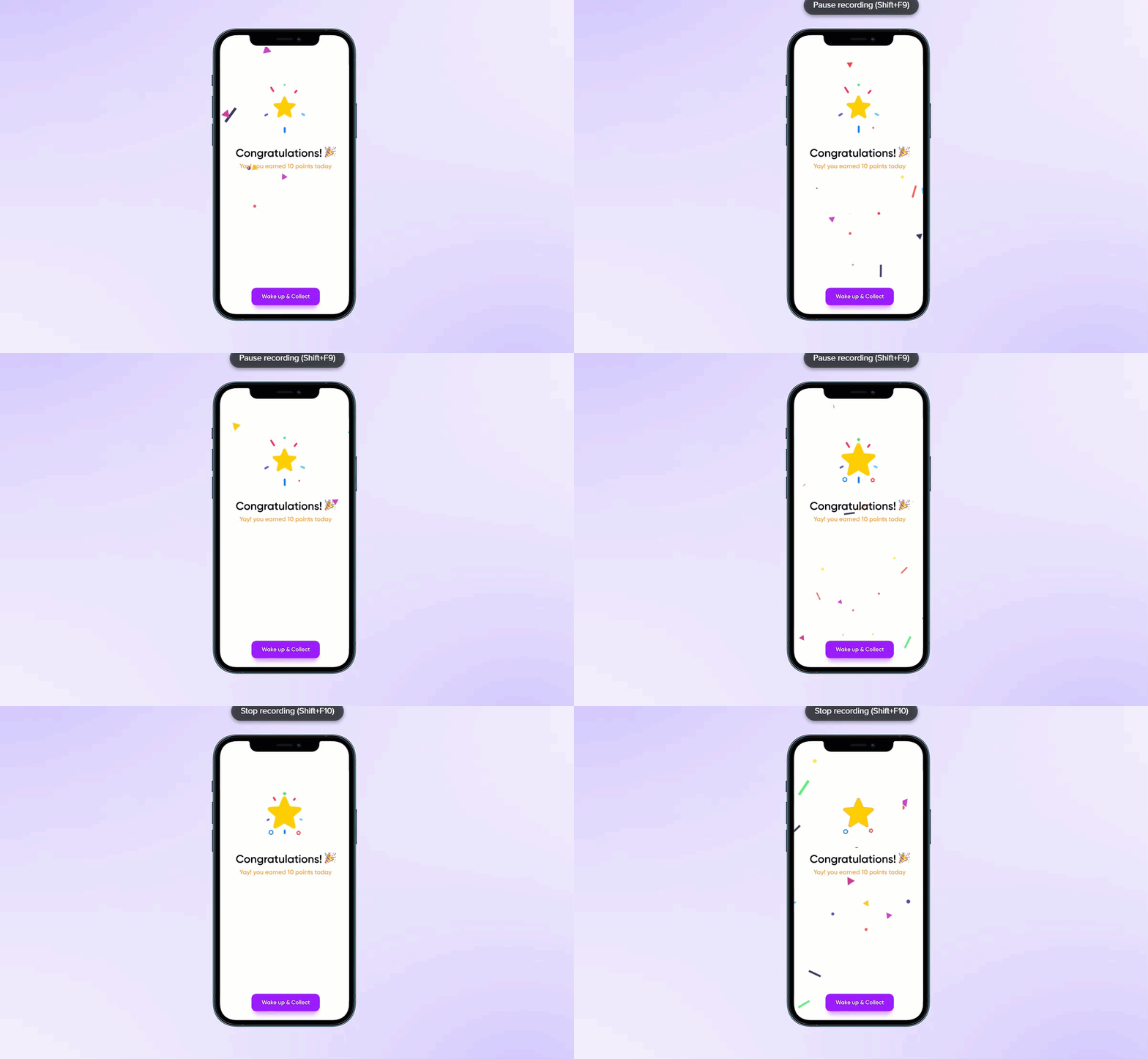
If you wake up, you will get rewarded each day
When the user checks the screen in the morning, he should be curious and should feel motivated to wake up early morning with few reward points which can be earned daily as the weekly cycles get completed. Created micro-interactions and CTA with context to give the entire super cool achievements to the user
List of unique pocket goals and reward tracking journey
The alarm list is also a reminder to track user's rewards and know the overall goal. They can add or edit the list of alarms here. The reward section tracks sleep schedules which they have kept for their goals. I put the gamification technique here so that they will get engage in their journey of goals. Not only they are completing goals but they are tracking their sleep cycles for days/weeks. This fun-loving technique hooks users with the achievement and ownership towards the goals

Customised way to set and edit goals based on preferences
The drive of ownership always gives the idea of fulfilment and taking ownership towards a specific goal. This can lead the user to put their customised features to rely on. Also, to maintain consistency and healthy sleep cycles this app can notify unique quotes before sleep to boost the motivation towards their goal and a healthy lifestyle

Usability Testing
Participants
3 Students
6 Professionals
Goals
1. To identify the usability
problems faced by user in app
2. To gain feedback on possible glitches
Questions
1. How easy did you find this app to use?
2. What do you loved the most?
3. What did you hate the most?
4. Which feature did you find most useful?
5. Any suggestion/comments you feel to add?
Bug

Problem
-
What if I want to work on many goals
-
what if I skipped

Problem
-
missing of past incomplete goals and upcoming to analyze the growth of goals sleep and reward

Problem
-
Can be also make in light color
-
Text are not visible to eyes
-
a Glimpse of overall analytics can also be shown in particulate alarm clock

Problem
-
More customization option

Problem
-
selected goal can be given in tab
-
content is not visible
Conclusion (takeaway)
The overall process and the drives that were chosen to fulfil goals is to motivate the user. The struggle or challenge to wake up early morning will help them to align with daily goals day-by-day and it will be gradual. Also, focussing on physical and mental health this app is super-efficient in the pandemic situation as more people will use it to make a healthy lifestyle.